Tattoo stencil maker that traces your photo line for line
Upload a photo and get a clean line stencil in about a minute: purple lines on a transparent PNG, the same shapes and proportions as the original, ready to print and transfer. Sign up and your first stencil is free.
- Sign up with Google and get 1 free stencil
- Two styles: clean outline, or outline with hatch shading
- Lines follow the real edges in your photo, nothing invented
Sign up and get 1 free stencil. Try it before you pay anything.
How the tattoo stencil maker works
Three steps, about a minute, and nothing to install. The tool runs in your browser on a phone, a tablet or the shop computer.
Upload your photo
Drop in a JPG, PNG or WebP of the subject: a portrait, a pet, a flower, a drawing. Any size and any orientation works. The photo is shrunk in your browser before it is sent, so uploads are quick even on a phone.
Pick outline or hatch
Outline gives you contours and the main structure lines only. Hatch adds fine parallel lines where the shadows fall, so you can see where the shading goes before you pick up a machine.
Download the stencil
Sign in with Google the first time, which gives you 1 free stencil. In 20 to 60 seconds you get a PNG with purple lines on a transparent background. Print it, run it through a thermal printer, or drop it into Procreate over your own sketch.
Two stencil styles: outline and hatch
Both styles trace the same photo with the same care. The difference is how much they tell you about light and shadow. Switch between them here on a real result.
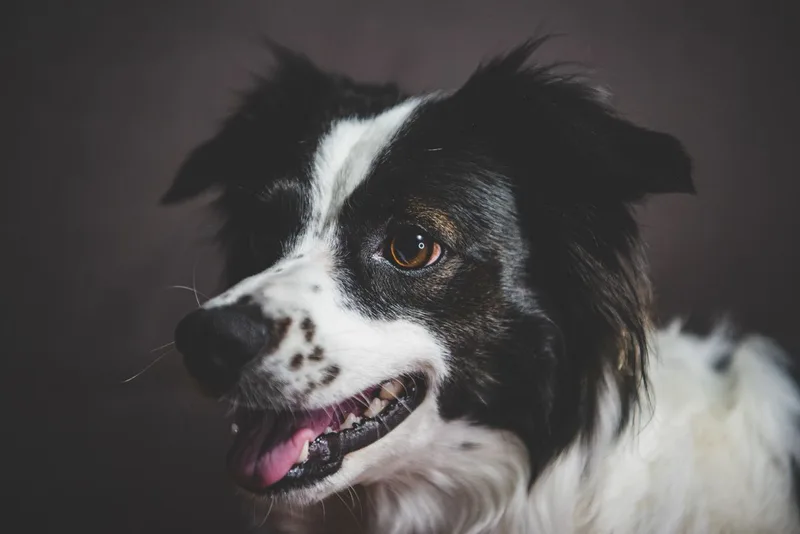
The photo you start from
Any clear photo works. Before a single line is drawn, the edges in the photo are measured, and the stencil has to stay on them.
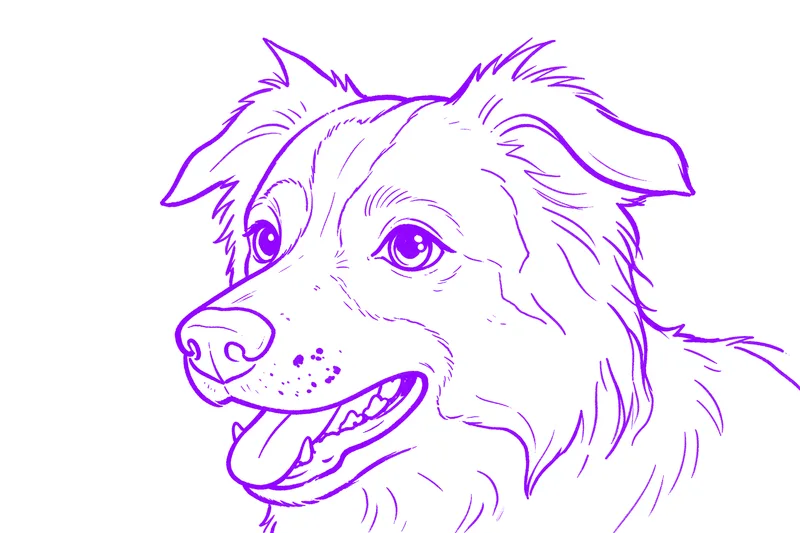
Outline
Contours and the main structure lines, with no shading at all. Choose it for fine line work, minimal pieces, and any time you plan to work out the shading yourself. It is the cleanest stencil to transfer and the easiest to read on skin.
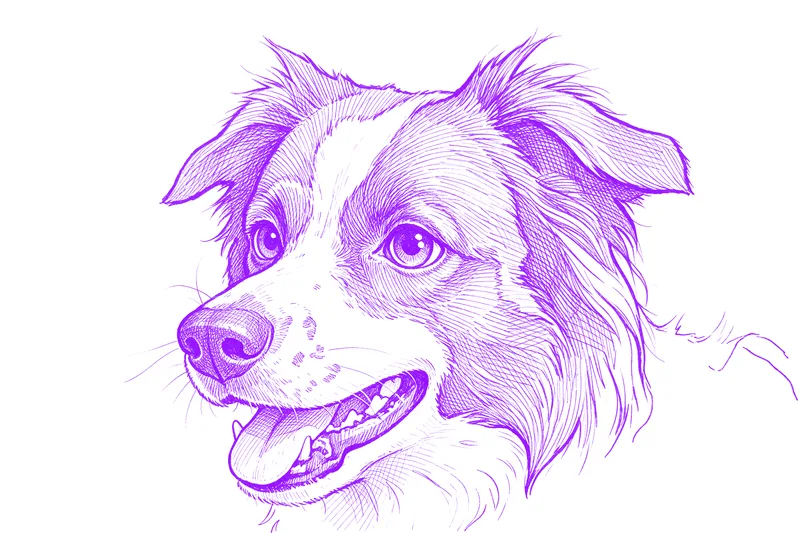
Hatch
The same outline, plus thin parallel lines wherever the photo is in shadow, crossed once more in the darkest spots. The hatching shows light, not local colour: dark fur or dark clothing stays open on the lit side. Choose it for realism, portraits and black and grey work.
Stencil examples made from real photos
Each row is one photo and the two stencils this tool made from it, shown on white the way they print. Nothing was retouched by hand.
 Photo
 Outline stencil
 Hatch stencilPhotoOutline stencilHatch stencil
 Photo
 Outline stencil
 Hatch stencil
What makes a stencil you can actually transfer
A tattoo stencil is the line drawing you transfer onto skin before you start, so every line on it is a decision you will follow with a needle. A photo run through an ordinary sketch filter does not work as one: it comes out grey and smudgy, the dark areas fill in solid, and the thermal printer turns it into a purple blot.
This tattoo stencil generator is built the other way round. It first measures where the real edges are in your photo, then draws separate, clean lines that sit on those edges. That is why the result lines up when you lay it back over the photo, and why it prints as lines and not as patches.
- Pure line work: no grey tones and no filled areas to clog a transfer.
- The background of the photo is dropped; only the subject is drawn.
- Nothing is added that the photo does not show, and unclear areas stay blank.
- A transparent PNG at print resolution, so resizing does not blur the lines.
Who uses a tattoo stencil creator
Tattoo artists
Tracing a client's reference photo by hand on a light box or in Procreate can take an hour before the appointment even starts. Here the first pass takes a minute. Use the outline as your base, adjust it in your own drawing app, and keep your time for the parts that need your eye.
Apprentices
Put the outline and the hatch version of the same photo side by side to study how light turns into line direction and line density, then practise on fake skin from a stencil that is already clean.
People planning a tattoo
Turn the photo of your dog, your grandfather or your favourite flower into line work, and bring it to your artist. It shows what you have in mind far better than a description, and your artist can redraw it in their own style.
Pricing: pay per stencil, no subscription
Sign up and get 1 free stencil, then buy credits only if you need more. One credit makes one stencil in either style.
Free
Your first stencil
Sign up with Google and get 1 free credit. Full resolution, no watermark, no card.
$4.99
10 stencils
For a few pieces or one busy week. About 50¢ each.
$14.99
50 stencils
For working artists and shops. About 30¢ each.
One-time payment through Stripe. Credits are tied to the Google account you sign in with, do not expire, and are only used when a stencil is actually made: one that fails is never charged.
Tattoo stencil maker FAQ
Is this tattoo stencil maker free?
It is free to try: sign up with Google and you get 1 free stencil, with no card needed. After that, stencils cost one credit each. Credits come in packs: 10 for $4.99 or 50 for $14.99. It is a one-time payment, there is no subscription, and credits do not expire.
How do I turn a photo into a tattoo stencil?
Upload the photo at the top of this page, choose the outline or hatch style, and press Make my stencil. The first time, you will be asked to sign in with Google, which also gives you a free stencil. The lines are traced from your photo and come back as a PNG you can download. The whole thing takes about a minute.
Why is the stencil purple?
Purple is the colour of the transfer ink on thermal and hectograph stencil paper, so a purple stencil looks on screen the way it will look on skin. The background is transparent, which lets you lay the stencil over the original photo, a body shot or your own sketch to check placement.
Does it change the face or the proportions?
It is built not to. Before any line is drawn, the edges are measured from the photo itself, and the drawing has to follow them. Shapes, proportions and positions stay where they are in the photo. Parts the photo does not show clearly are left blank instead of being invented. Use the Check against photo button on your result to see the lines sitting on the original.
What kind of photo works best?
A sharp, well-lit photo where the subject fills most of the frame. Soft light from one side gives the hatch style clear shadows to map. Very dark, blurry or tiny photos lose detail, and the stencil can only trace what the photo shows.
Can I print the stencil with a thermal printer?
Yes. The file is a high-resolution PNG, about 2400 pixels on its long side, which is enough for a full letter or A4 sheet. Print it at the size you need from any image viewer, or send it to a thermal stencil printer. If your printer software wants a white background, most viewers add one when printing.
What happens to my photos?
Your photo and the stencil made from it are kept for 30 days, so you can come back and download them again, and then they are deleted. They are never shown to other visitors or used in our examples. The details are in the privacy policy.
What if the stencil fails or the site is busy?
If a stencil cannot be made, you are not charged: the credit comes straight back, including the free one. When many people are using the site at once your photo waits in line, and the page shows you where you are.
More detail on how photos are handled is in the privacy policy, and the rules for using the site are in the terms of service.
Make your first tattoo stencil now
Sign up with Google and get 1 free stencil. It takes about a minute and needs no card.
Upload a photo